资产编译
入门
为了节省文件空间并加快加载速度,Stride 会把项目资产转换为包(bundle)。许多游戏引擎都会这样做,不过 Stride 在确定哪些资产应被包含方面有其独特的方式。这个过程相当简单,但熟悉它很重要,以免产生困惑。
哪些资产会被编译
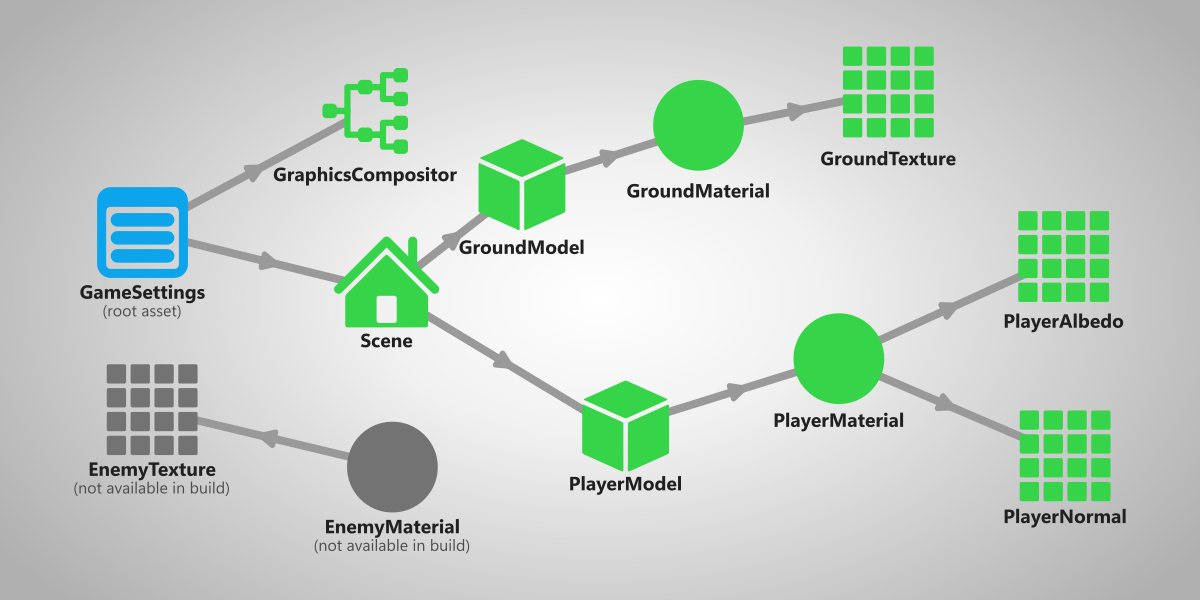
Stride 只编译游戏用到的资产。这意味着,如果一个资产没有被另一个被判定为需要的资产所引用,它就会被忽略。
蓝色、绿色和灰色圆点
In the Asset view, you can see a dot in the top left corner of every asset that signifies how it will be compiled.
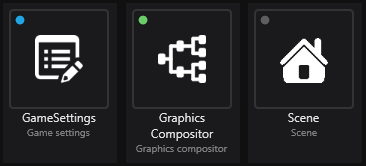
Each color represents something:
- 🔵 Blue (will be compiled) - this asset is marked as root, meaning that it will always be compiled in the game no matter if it's referenced or not.
- 🟢 Green (will be compiled) - this asset is referenced by another asset that is used in the game, meaning that it will be compiled.
- 🟡 Yellow (will be compiled) - this asset will be included in the build, but its contents will be replaced by another asset. For more information, visit Replacement assets.
- ⚫ Gray (won't be compiled) - this asset isn't referenced by any other asset that's used in the game, meaning that it won't be compiled.
根资产
🔵 **根资产(Root asset)**是无论是否被引用都会被编译的资产。
几点说明:
如何将资产标记为根资产
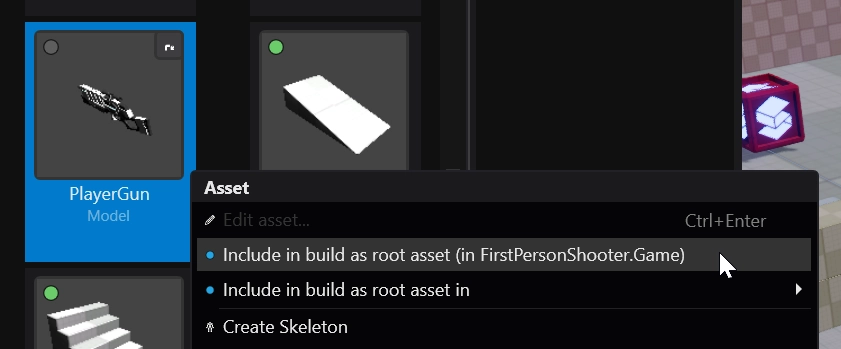
你可以在资产视图中右键单击该资产并选择 🔵 作为根资产包含在构建中(Include in build as root asset),将其标记为根资产。这会把该项添加到它所属项目包的根资产列表中。
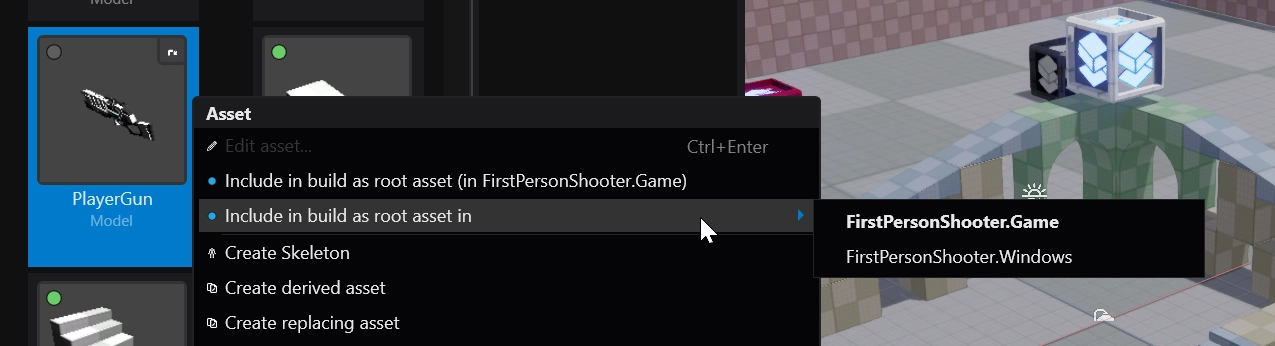
要为其他项目包执行此操作,可以选择 🔵 作为根资产包含在构建中到 > [项目包名称](Include in build as root asset in > [name of project package])。
检查资产
你可以使用 Content.FileProvider.ContentIndexMap 检查有哪些资产可用。
if (Content.FileProvider.ContentIndexMap.Contains("Models/Enemy"))
{
    // 如果资产存在则执行代码
}

var allContent = Content.FileProvider.ContentIndexMap.GetMergedIdMap()
    .Select(x => x.Key);
Note
内容系统还包含着色器及着色器信息。如果你想用 GetMergedIdMap 检查加载了哪些资产,建议过滤掉以 shaders/ 和 __shaders_bytecode__/ 开头的路径。
var allAssets = Content.FileProvider.ContentIndexMap.GetMergedIdMap()
    .Select(x => x.Key)
    .Where(x => !x.StartsWith("shaders/") && !x.StartsWith("__shaders_bytecode__/"));