资产
初级
资产(Asset)是游戏中元素的表示,例如纹理、动画或模型。
创建资产
要创建资产,请点击资产视图中的 ➕ Add asset 按钮,然后选择要创建的资产类型。
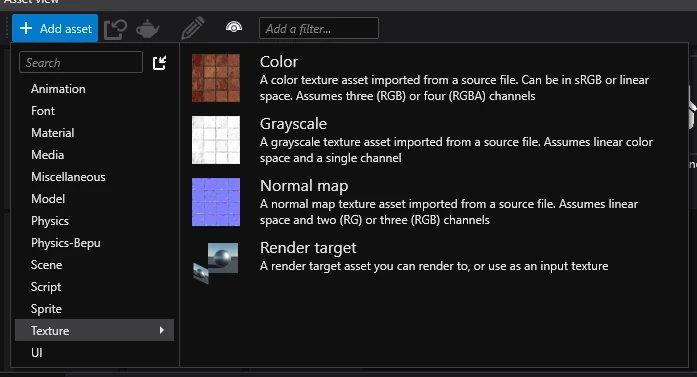
从资源创建资产
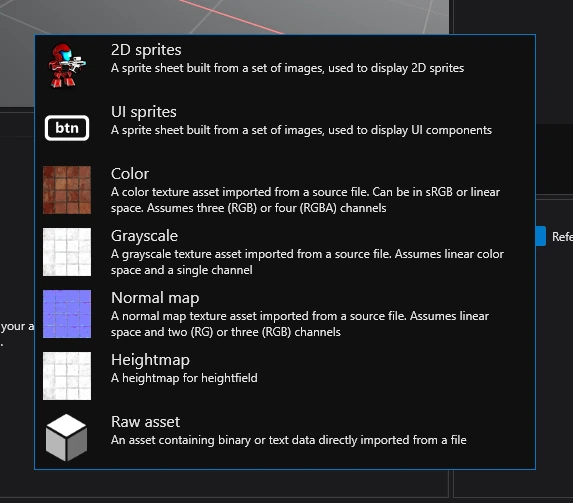
要从资源创建资产,只需将其拖放到资产视图中,然后选择要创建的资产类型。
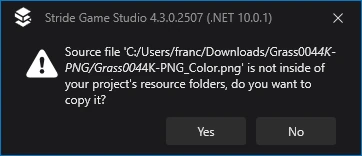
如果资源不在资源文件夹中,Game Studio 会询问是否将其移动到该文件夹。在大多数情况下,建议点击"是"。
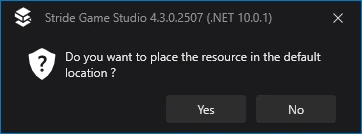
最后,会询问是否将其移动到默认位置。同样,大多数情况下建议如此操作,除非您需要更精确地控制资源的存放位置。
蓝色、绿色和灰色圆点
In the Asset view, you can see a dot in the top left corner of every asset that signifies how it will be compiled.
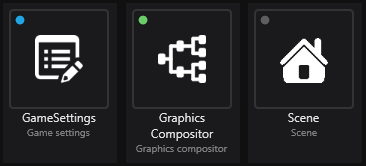
Each color represents something:
- 🔵 Blue (will be compiled) - this asset is marked as root, meaning that it will always be compiled in the game no matter if it's referenced or not.
- 🟢 Green (will be compiled) - this asset is referenced by another asset that is used in the game, meaning that it will be compiled.
- 🟡 Yellow (will be compiled) - this asset will be included in the build, but its contents will be replaced by another asset. For more information, visit Replacement assets.
- ⚫ Gray (won't be compiled) - this asset isn't referenced by any other asset that's used in the game, meaning that it won't be compiled.
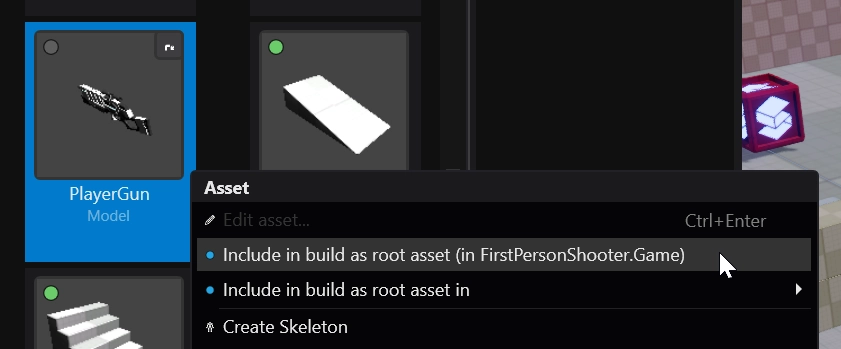
Stride 不会包含未在任何地方使用的资产,这意味着运行游戏时无法访问这些资产。为确保某个资产始终包含在构建中,请右键点击该资产并选择 🔵 Include in build as root asset。
延伸阅读
更多信息请参阅资产。